
CLI commands
Every agentbox command grouped by task, with the flags you reach for most
This is the command catalog. Conceptual depth lives in the linked task pages — here you get what each command does and the flags worth knowing.
TIP
agentbox --help shows only the core workflow (start an agent, attach, git flow, list, destroy). Run agentbox help for the full grouped list of every command, or agentbox <command> --help for every flag on a specific command.Two conventions that apply everywhere
Box references. Almost every command takes an optional [box] argument: a project index (1, 2, …), the box name, an id (or id prefix), or the container name. Omit it and AgentBox uses the only box in the current project. Paused or stopped boxes are auto-resumed when you act on them.
Provider sugar. agentbox <provider> <subcommand> is rewritten to --provider <provider> before parsing. So agentbox hetzner claude, agentbox digitalocean codex, agentbox vercel codex, agentbox e2b create, and agentbox docker create all work — they're identical to passing --provider.
A provider can be host-qualified: agentbox docker:<host> claude runs the box on that machine's Docker engine over SSH (the remote-docker provider). <host> is any SSH destination — an ~/.ssh/config alias or [user@]host[:port] — so agentbox docker:buildbox claude and agentbox create --provider docker:dev@10.0.0.9:2222 both work, as does agentbox prepare --provider docker:buildbox.
Create & run
create makes a box but launches no agent. claude, codex, opencode, and pi create (or reuse) a box and launch that agent in a detachable tmux session — they mirror create's entire flag surface, so you can swap the verb without relearning flags. fork teleports the agent session you're running on the host right now into a fresh box.
# Create a box, no agent
agentbox create

# Create a box and launch an agent (tmux, detachable — Ctrl+a d to detach)
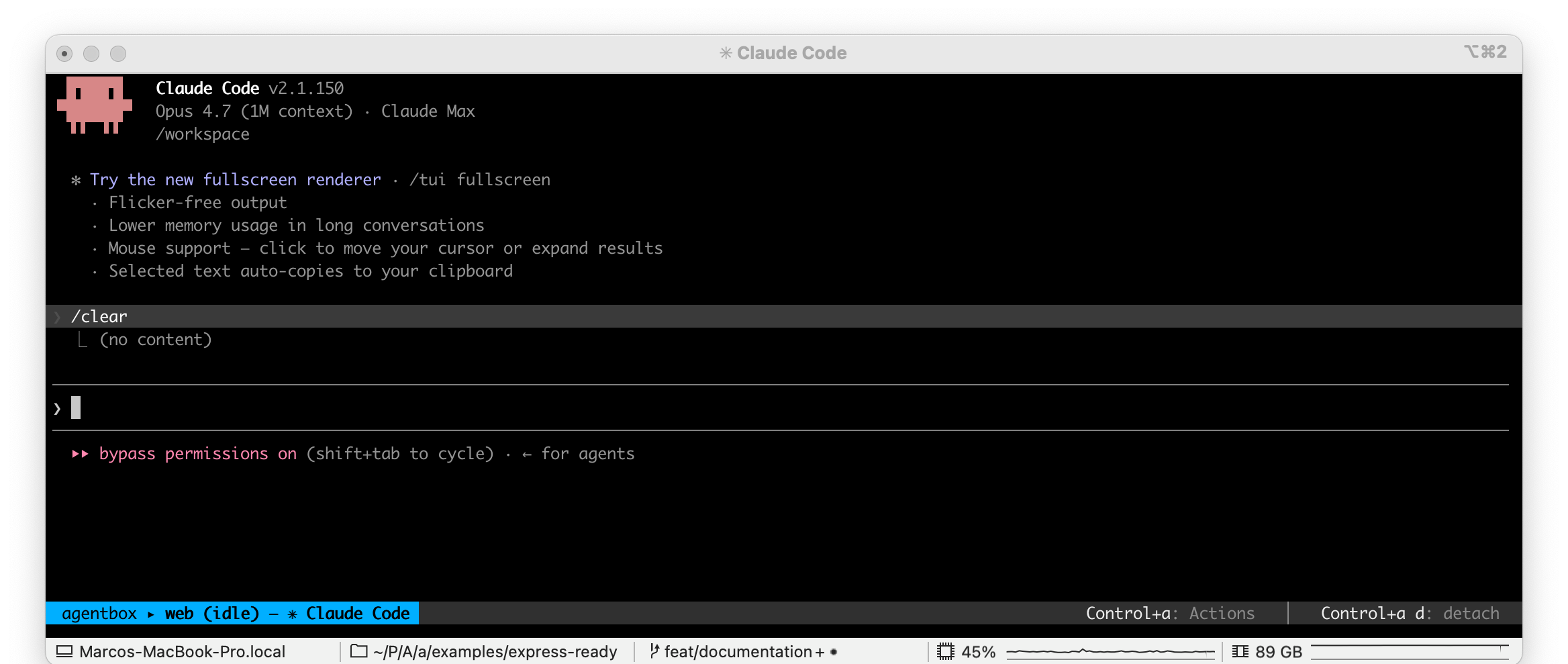
agentbox claude
agentbox codex
agentbox opencode
agentbox pi

# Create a box that HOSTS a daemon, and print its URL (no TUI to attach to)
agentbox openclaw
The agent-agnostic agentbox attach [box] reattaches to whichever agent session is running in the box (it prompts when more than one is live). It never auto-starts: when nothing is running it prints a warning and exits non-zero. Each agent command also exposes its own attach / start / login subcommands: per-agent attach reattaches and starts a session if none is running (never re-syncs config), start (re)starts a session in an existing box (rsyncs host config unless --no-sync-config), and login runs that agent's auth flow. In a terminal, login prints the approval URL and prompts you for the code itself — the agent's own sign-in TUI never takes over your terminal, so it behaves the same in every emulator. Pass --interactive to hand the terminal to that TUI instead (needed for login methods the guided prompt can't drive). With no TTY (or --headless), claude login prints the OAuth approval URL — including a greppable AGENTBOX_LOGIN_URL= marker — and you finish with agentbox claude login --code <CODE>, so an orchestrating agent can drive the sign-in. See first-run auth.
# Create a box and drop into a shell once it's ready
agentbox create --attach

# Reattach to whichever agent is running on box 1
agentbox attach 1

# Per-agent: reattach (auto-starts if none running) / restart a session
agentbox claude attach 1
agentbox claude start 1

# Teleport + resume your most recent host Claude session into the box
agentbox claude -c
agentbox claude --resume <session-id>

# Fork the host session you're in now into a new box (opens a new tab)
agentbox fork
agentbox fork hetzner                 # provider as a positional shorthand
agentbox fork --agent codex --attach-in background

# Anything after -- is forwarded to the in-box agent
agentbox claude -- --model sonnet
Shared create/agent flags include -n, --name, -w, --workspace <path>, --provider <name>, --snapshot <ref> (start from a checkpoint), --image <ref>, --build (build the base image locally instead of pulling), -y, --yes, --with-env, --with-playwright, --no-vnc, --persistent / --no-persistent (always-on box: never auto-paused, idle-lapsed or pruned, and restarted by the relay after a reboot — on create and on every agent command, so agentbox claude --persistent is an always-on coding box; see persistent boxes), --portless / --no-portless, --from-branch <ref>, -b, --use-branch <name>, --memory, --cpus, --disk, --size <spec> (cloud VM size — hetzner server type cx33, digitalocean Droplet slug s-4vcpu-8gb, daytona 4-8-20, vercel vCPUs 4), --location <name> (hetzner datacenter e.g. fsn1, or digitalocean region e.g. fra1), --remote-host <dest> (remote-docker: the SSH destination whose Docker engine runs the box — same as --provider docker:<dest>), --inbound <spec> (VPS firewall access: locked / open / a CIDR list — reach a box from a phone with the laptop off; see remote access), --carry-yes / --carry <mode> (skip disables carry for this box; ask re-opens an approval this project already gave — by default a list you have already approved is carried without asking again), --via-hub / --local (build a cloud box on a configured control box vs on this machine — cloud creates default to the control box when one is set; your project's config travels with the request, and the few flags that cannot are named rather than dropped, see deployed hub), and --dangerously-with-credentials (copy a git credential into a cloud box so it pushes/pulls with your PC off — an interactive prompt asks token vs SSH; token pushes over HTTPS/unsigned, ssh copies your SSH key and signs. Interactive-only, no CI path; refused when a control box is configured — token leasing replaces it there; see Independent boxes).
--model-auth <source...> seeds a box with a model-provider login your host already holds (none | codex, repeatable or comma-separated). It is on create, pi, opencode and openclaw — the agents that can consume a borrowed login — not on claude or codex, which have their own. On an agent command it defaults to that agent's <agent>.modelAuth key (and on openclaw asks on a TTY); on agentbox create there is no agent to default from, so the flag is the only way in, and the login simply waits at its own path in the box for the first agent you start there. See share a login you already have.
Agent-specific: --attach-in <split|window|tab|same>, -d, --no-attach, -i, --initial-prompt <text> (background queue), and for claude only -c, --continue, --resume <id>, --plan <path>, and --dangerously-skip-permissions (on by default in boxes). fork adds --agent, --session <id>, --attach-in (default tab), and a positional [provider] (agentbox fork hetzner is shorthand for --provider hetzner). When --agent/--session are omitted, fork autodetects the launching agent and current session from its env vars (Claude via CLAUDECODE / CLAUDE_CODE_SESSION_ID, Codex via CODEX_THREAD_ID), so a bare agentbox fork forks whichever agent you ran it from.
HEADS UP
-i / --initial-prompt is AgentBox's background-queue prompt, not the agent's own -p print
mode. To run the agent headless, pass it after -- (e.g. agentbox claude -- -p "..."). Note
also that -i means --inline on the attach/start subcommands.
These commands tee progress to ~/.agentbox/logs/<command>.log; ~/.agentbox/logs/latest.log always points at the most recent run.
Service agents
agentbox openclaw creates or resumes a box that HOSTS a daemon rather than a TUI you attach to, waits for it to report ready, and prints its URL. None of the TUI surface applies — there is no attach, login, --resume, -i or --dangerously-skip-permissions — and its subcommands are the ones a hosted service has:
agentbox openclaw                     # create-or-resume, wait for ready, print the URL + token
agentbox openclaw url [box]           # URL on line 1, gateway token on line 2
agentbox openclaw status [box]        # the supervisor's view of the unit
agentbox openclaw logs [box] -f       # tail the daemon's log
agentbox openclaw restart [box]
agentbox openclaw stop [box]          # stop the daemon; the box keeps running
It takes the create flags a box still needs — -w, -n, -p/--provider, --image, --snapshot, -y, --carry-yes, --carry <mode>, --verbose — plus --timeout <seconds> (how long to wait for the service to report ready, default 180) and --model-auth <source...> (none | codex, repeatable or comma-separated: seed the box with host model-provider logins; default: the <agent>.modelAuth key, else ask on a TTY). The same flag is on agentbox pi and agentbox opencode, which can also run on your Codex login. A service agent's box is persistent by default: it hosts a daemon, so an autopause or an idle lapse would be an outage. Pass --no-persistent for an expendable one. That default also means --provider e2b / --provider vercel are refused — their platform session cap makes an always-on box impossible — so pick a provider without one, or opt out with --no-persistent. See OpenClaw.
See Run an agent, Teleport a project, Background & parallel, and Sync & git.
Access
# Interactive shell in box 1 (tmux session)
agentbox shell 1
agentbox shell 1 -n logs     # a second, named shell
agentbox shell 1 --new

# One-shot command after `--`:
agentbox shell 1 -- ls /workspace               # multi-token: run as a literal argv
agentbox shell 1 -- 'cd web && npm run build'   # single quoted string: run as a shell snippet

# Open the box's web app / desktop / IDE
agentbox url 2
agentbox screen 2
agentbox code 2

# sshfs-mount /workspace and reveal in Finder (needs `brew install macfuse sshfs`)
agentbox open 2
agentbox open 2 --unmount     # tear the mount down

# Open the box in a host app
agentbox open 2 --in claude   # add the box to Claude desktop's SSH connections (docker + Hetzner boxes)
agentbox open 2 --in codex    # auto-open Codex's add-SSH-connection form (docker + Hetzner boxes)
agentbox open 2 --in herdr    # new Herdr workspace running `agentbox attach`
agentbox open 2 --in cmux     # new cmux workspace running `agentbox attach`
agentbox open 2 --in vscode   # same as `agentbox code`
agentbox open 2 --in iterm2   # new iTerm2 window running `agentbox attach`
agentbox open 2 --in finder   # same as bare `agentbox open` (sshfs mount + reveal)
agentbox open --targets       # which apps are installed (add --json for machines)

# Multiplexed box dashboard (TUI)
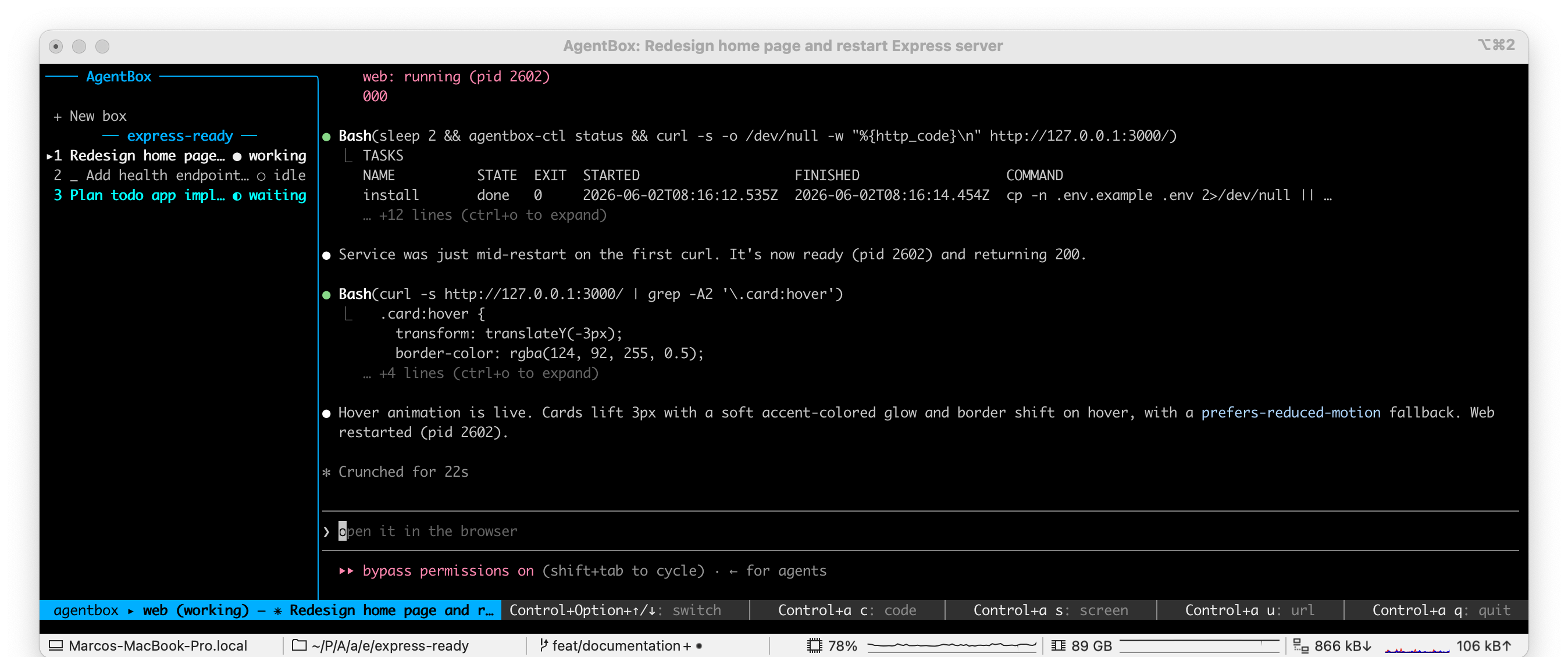
agentbox dashboard
url opens the box's web app in your browser even with no expose: service. screen opens the in-box desktop over noVNC. code opens the box in VS Code or Cursor via Dev Containers. dashboard shows a box list alongside the selected box's live session.
Add --print to url, screen, or code to print the URL instead of opening it. url/screen accept --loopback (docker: use 127.0.0.1 instead of the OrbStack/Portless URL) and --ttl <seconds> (cloud signed-URL expiry). shell has attach, ls, and kill subcommands.
agentbox ls also links each box's desktop: the URL column carries a (VNC) hyperlink next to the box's web URL. On docker and hetzner it points straight at the box; on the cloud providers it points at the hub, which mints a fresh signed URL when you click (their signed URLs expire, so a printed one would be dead by then).
url and screen resolve the box's live endpoint through the hub, so they work the same against a local hub and a remote control box — on every provider. --loopback is the one exception: it means "the 127.0.0.1 URL on this machine", which a remote control box can't answer, so it resolves locally against the provider. If the box is paused or stopped, they start it first (a stale preview URL would 404 and a stopped box serves nothing) and print a one-line notice to stderr — so --print output on stdout stays clean and pipeable while the side effect stays visible.
open --in <app> opens the box in a host app instead of Finder: claude writes the box's SSH alias into the Claude desktop app's own settings (~/.claude/settings.json → sshConfigs) and launches it — the box appears in the app's Environment dropdown, where it can also list and resume the box's existing Claude sessions over SSH; codex writes the box's SSH alias and auto-opens Codex's add-SSH-connection deep link (both need a persistent SSH key, so docker + Hetzner boxes); herdr, cmux, and iterm2 open a new workspace/window in that terminal app running agentbox attach <box> (the box is auto-started first); vscode is equivalent to agentbox code. open --targets [--json] reports which of these apps are installed on the host, with a reason explaining any that aren't (Finder counts as installed only when sshfs is on PATH, since the mount needs it) — the AgentBox Tray app and the hub's box page use it to render their "Open In…" entries, disabling unavailable ones with the reason as a tooltip. cmux rejects control connections from outside the app by default: enable socketControlMode: automation (or set a socket password) in cmux's settings for --in cmux to work.
A one-shot command after -- is run under the box's login shell. A single quoted argument is treated as a shell snippet (so &&, pipes, redirections, and $VAR are interpreted by the box); multiple tokens are passed through verbatim as a literal argv (like docker exec), so quoting and format strings such as curl -w '%{http_code}' reach the command intact — no double-parsing.
TIP
agentbox screen needs VNC, which is on by default — boxes created with --no-vnc can't use it.
See Access your box, Web apps & tunnels, and Browser & screen.
Inspect
# List boxes (this project, then all projects)
agentbox ls
agentbox ls -g

# Service + task status from the box's supervisor
agentbox status 1
agentbox status 1 --inspect

# Rename a box (cosmetic label; leaves the container, branch, and URL unchanged)
agentbox status 1 --set-name auth-work
agentbox status 1 --clear-name

# Live cpu/mem/pids/disk monitor
agentbox top
agentbox top --once

# Tail (and stream) a service log
agentbox logs 1 web
agentbox logs 1 web -f

# Block until the box's autostart units are ready
agentbox wait 1
list (alias ls) lists boxes in the current project; -g spans all projects. status shows live service/task state from the in-box agentbox-ctl daemon, and status --inspect adds detailed box info (volumes, limits, paths). status --set-name <name> (and --clear-name) renames a box — it sets a cosmetic display label shown in list, the hub, and the tray. The label is display-only: the container, git branch, and web/VNC URL keep the box's original name, and you can still address the box by either name. Works for every provider and any box state. top is a live resource monitor, logs tails a service log, and wait blocks until autostart units are ready. logs runs through the hub (the hub reaches into the box), so it tails a box on a configured control box the same way it tails a local one; --daemon tails the supervisor's own log instead of a service.
| Command | Useful flags |
|---|---|
list / ls | -j, --json, -g, --global, --watch, --live, --cmux |
status | -j, --json, --inspect, --set-name <name>, --clear-name |
top | --once, -j, --json, --interval <s>, --live |
logs | -n, --tail <n>, -f, --follow, --daemon |
wait | --timeout <ms>, --units <names...>, -j, --json |
The agent group is a scripting surface for the agent's live state: agent state, agent wait-for <state>, and agent get-plan-question, all with --json and --agent <id> (read through the hub, so they work against a local hub and a configured control box alike). Their stdout carries only the value — spinners, warnings and errors go to stderr — so $(agentbox agent state 1) is safe to capture. wait-for takes a repeatable --box <ref> to race several boxes with one waiter (first match wins, and it prints which box), retries a hub that goes away mid-wait until --timeout elapses rather than ending there, and exits 7 when the hub never answered at all — distinct from 1 (the agent never reached the state), 2 (unknown state or box) and 3 (credential rejected). Without --agent they report the box's most active agent, so they work on a codex, opencode or pi box as well as a claude one. It also unifies approvals an orchestrator answers on a box's behalf: agent approvals [box] lists everything the box is blocked on — relay host-action confirms (git push, cp, gh PR writes, checkpoint) and the agent's in-TUI prompts (plan approval, question, tool permission) — each with an id, and agent approve <id> (with --option/--deny) answers that exact one. The id is a safety token: a prompt that changed since you listed it is refused, not mis-answered. Pair it with agentbox drive (snapshot the screen / send keystrokes) to drive one agent from another — see Orchestration & queue boxes.
TIP
Most inspect commands take -j/--json for scripting; top and list also offer --live to
probe real cloud state (slower) instead of last-known host state.
See Services & tasks and Background & parallel.
Lifecycle
# Cheap freeze / resume
agentbox pause 1
agentbox unpause 1

# Full stop / start (volumes preserved)
agentbox stop 1
agentbox start 1

# Reconnect to an already-running box (no power-cycle) and resume its agent
agentbox recover 1
agentbox recover --all              # every box in local state (no attach)
agentbox recover --provider hetzner --adopt   # rebuild state for a box created elsewhere

# Destroy (discard the box; alias rm)
agentbox destroy 1
agentbox rm 1 -y
agentbox destroy --box 1 --box review --box docs -y   # repeatable: one confirmation, each torn down in turn

# Remote access — reach a VPS box from a phone with the laptop off (hetzner/DO)
agentbox inbound 1 open             # open the firewall (0.0.0.0/0, key-only)
agentbox connect 1 --add-key @phone.pub # authorize a device's key; print the ssh linepause/unpause is the cheap context switch (docker freezes the cgroup, sub-second resume; cloud archives and rehydrates, slower). stop/start is a full stop that preserves the upper volume, including node_modules. These all run through the hub's /api/v1 (a local hub, or a configured control box), so they behave the same in both modes. destroy (alias rm) wipes the box and its writable layer; --keep-snapshot leaves the snapshot dir under ~/.agentbox/snapshots/ in place. destroy only drops a box's local record once a hub has actually torn the box down — if no hub AgentBox knows about owns the box (so it may still be running), it refuses rather than silently deleting the record, and --force drops the stale record deliberately. On a persistent box -y alone does not destroy it — confirm interactively, or pass --force. If the name/id matches no tracked box but a leftover agentbox-<name> container exists, destroy removes that orphan container directly (then suggests prune -y for any leftover volumes). --box <ref> is repeatable for tearing down a fan-out in one call: every ref is resolved before anything is destroyed (a typo fails the batch rather than destroying its neighbours), you confirm once for the whole set, and the boxes go down in turn — one refusal doesn't strand the rest, and the exit code reports the worst outcome (2 if any box was refused, 1 on a hub error).
recover re-establishes a box's host-side connectivity without power-cycling it — for after a host reboot, a relay restart, or a fresh CLI process on another machine. It ensures the host relay is up and re-registers every box with it, re-opens the host transport (the Hetzner SSH tunnel + port forwards), re-registers the Portless aliases, relaunches the in-box daemons, and brings back the agent the box was last running (claude/codex/opencode/pi — resuming its session, or starting fresh), then attaches. With no argument it recovers the current project's box; --all recovers every box in state (and skips the attach); --no-attach restores without attaching. agentbox recover --provider <cloud> --adopt [id|name] first rebuilds local state for a running sandbox that this host has no record of (e.g. one created on another machine), minting fresh relay tokens from what the box exposes. For Hetzner, adoption needs the box's per-host SSH key — a box created on a different host can't be controlled and recover says so.
TIP
Prefer pause/unpause to switch between boxes — it frees CPU and RAM while frozen and resumes
instantly on docker. Use stop when you want the box off but kept.
inbound/connect (Hetzner/DigitalOcean) let you drive a box from a phone with the laptop off. agentbox inbound <box> open|lock|<cidr…> sets the per-box firewall's inbound policy (--show prints it); agentbox connect <box> prints the SSH connection bundle, --add-key <pubkey> authorizes another device's key (the box's own key stays on the host), and --export-key prints the box key for a mobile client, and --dangerously-git-credentials copies a git credential into an already-running box so it pushes on its own (the post-create equivalent of create --dangerously-with-credentials; restart the agent afterward; refused when a control box is configured — leasing replaces it). See remote access and sync & git.
See Checkpoints & pausing and the provider pages for cloud pause/stop semantics.
Git & sync
# Pull the box's /workspace back to the host (gitignore-aware)
agentbox download 1
agentbox download 1 --dry-run
agentbox download 1 --with-env
agentbox download --backup ada       # capture the bot into .agentbox/bots/
agentbox download --backup --keep 5 ada

# Put a backed-up bot back into a new box, identity and all
agentbox openclaw --restore ada
agentbox openclaw --restore ada --provider hetzner -n ada-hz
agentbox create --restore ada        # the workspace half only (no agent)

# Push the host workspace INTO a live box (the box wins every conflict)
agentbox upload
agentbox upload 1

# New box from another box's workspace files, with a fresh agent identity
agentbox clone 1 --name svc2
agentbox clone 1 --name svc-hz --provider hetzner --into ~/projects/svc-hz
agentbox clone 1 --name scratch --no-persistent   # expendable clone of an always-on box

# Copy files/dirs (direction inferred from the box: prefix)
agentbox cp mybox:/workspace/.env      # download to cwd
agentbox cp ./local.txt mybox:/workspace/   # upload
agentbox cp a.txt b.txt src/ mybox:/workspace/dest/   # many sources into a dir
agentbox cp ./*.log mybox:/workspace/logs/   # shell-expanded wildcard
agentbox cp ./dir mybox:/workspace/ --exclude=.git --exclude="*/cache"  # upload, trimmed
agentbox cp ./data.csv hub:            # upload to a remote hub, readable by this
                                       # project's boxes with this machine off

# Git/gh through the host relay (your credentials stay on the host)
agentbox git push 1
agentbox git push 1 --host-only            # land the branch in the host's local repo, don't publish
agentbox git push 1 --host-only --as feat/login   # ...under a chosen branch name
agentbox git fetch 1
agentbox git pull 1 main --ff-only
agentbox git checkout 1 feature-x                 # switch the box's working branch
agentbox git branch 1 login-refactor              # create+switch a new agentbox/login-refactor branch
agentbox git branch 1 hotfix --from main          # ...forked from a given base ref
agentbox git status 1
agentbox git pr create 1

# Services declared in agentbox.yaml
agentbox services 1                        # list services with their live state
agentbox services list 1 --json            # same, as JSON (services, tasks, ports)
agentbox services restart 1                # restart every service
agentbox services restart 1 web            # restart one service
download pulls /workspace back into your host workspace, honouring .gitignore. It has typed subcommands for agent state: download env, download claude, download codex, download opencode, download pi, download openclaw, download config. The agent subcommands work on every provider (docker reads the config volume, cloud reads the live box) and can propagate the pulled items to your other boxes with --propagate project|all|none — see sync and git. download openclaw is the exception: it pulls only the gateway's agent definitions (its config and state are that box's identity), and takes no --propagate — see OpenClaw. cp copies files or directories in either direction, like docker cp. git runs git/gh operations against the box from the host through the relay, so push and fetch use your host credentials and the box never sees them.
upload is download's mirror: it pushes the host workspace into a live box. A git workspace merges your branch into the box's and overlays your uncommitted/untracked changes; a non-git one gets a plain file overlay. The box wins every conflict — a file the box changed is left alone and reported, and no branch is ever reset. --include-node-modules pushes node_modules too (non-git workspaces only). The push runs on the hub (POST /boxes/{id}/upload), which also starts the box if it is paused. Because the hub reads the workspace off its own disk, a box owned by a deployed control box is refused rather than uploaded from the wrong tree — run agentbox upload there, or move specific files with agentbox cp.
url [box] opens a box's web app in your browser. It resolves the URL live through the hub (GET /boxes/{id}/web) rather than reading the box list's recorded webUrl, and auto-starts a box that is paused or stopped. On a box running a service agent (openclaw) it opens the agent's UI already signed in, with the token in the URL fragment. --print writes the bare URL to stdout so it stays pipeable, and puts the sign-in link on stderr; --loopback and --ttl need provider-level URL computation the hub route does not express, so they take the provider path (and still resolve the sign-in link).
clone <box> creates a new box from the source box's current workspace files and its agentbox.yaml, with a fresh agent identity: the agent's config volume and credential are deliberately not copied, so it onboards from scratch. The export and the create are one call to the hub (POST /boxes/{id}/clone), so the clone's workspace dir lands on the machine running the hub — the same machine the new box runs on. That dir is <project>/.agentbox/bots/<name>/workspace/ when the source box has a project, ~/.agentbox/clones/<name> when it does not, and --into <dir> overrides both. A relative --into is resolved against your own working directory before the request goes out, since the hub has no notion of one. -n/--name, -p/--provider and -y behave as on create. Persistence is inherited from the source box (cloning an always-on service box gives an always-on clone); --persistent / --no-persistent override it. .git is not exported — the clone is a template; a git-backed second box on the same project is a plain agentbox create. There is no --with-state; to move a box's full state, use a checkpoint. A clone of a service-agent box (a bot) runs that same agent, applying the agent's own clone rules — files it regenerates are dropped, files naming the bot are rendered through the workspace's identity rule-set, and a per-box secrets file is required before the clone will proceed (see sync and git). A clone of a coding-agent box is created without an agent — start one in it with agentbox claude <clone>.
cp takes multiple sources in one call — list several files/dirs (or a shell-expanded wildcard like ./*.log) before the destination, which must then be a directory (trailing /). Wildcards are expanded by your shell, so a box-path glob (mybox:/workspace/*.log) only expands when run from inside the box; from the host, glob box contents from inside the box or list the files explicitly.
cp drops heavy, regenerable directories by default (.git, node_modules, bin, obj, packages, dist, .next, target) — keep them with --no-default-excludes, or add more with repeatable --exclude=<glob|name>. An upload whose size (after excludes) exceeds box.cpMaxBytes (default 100 MB) is blocked and prints a du-style tree of the biggest remaining folders so you can decide what to drop; trim it with --exclude, copy the heavy folders one at a time, or pass --yes to copy it all anyway. The limit is checked per source.
When /workspace is not a git repo, download and upload select files with an exclude list rather than .gitignore — the normal mode for a service box, not a fallback, and the output labels it. It drops .git, node_modules, media/, live databases (*.sqlite*, *.db, *.db-*) and every agent's state directory.
download --backup writes to <project>/.agentbox/bots/<bot>/<timestamp>/ instead of your working dir, and captures the agent's state directory with its identity alongside the workspace — the portable, cross-provider alternative to a checkpoint. --name <bot> sets the bot name (default: the box name), --keep <n> how many backups to retain (default 3), --agent <id> which agent's state to take. It never asks about agent-generated files. See sync and git.
--restore <bot> is the other direction: it creates a new box seeded from that bot's backup. On a service-agent command (agentbox openclaw --restore ada) it also puts the captured state directory back, so the bot keeps its gateway identity, pairings and history — the same bot on a new box, and on a different provider if you pass one. On agentbox create it restores the workspace only, because an agentless box has no agent state directory to restore into. --stamp <t> picks a backup other than the newest, --into <dir> where the restored workspace lives (default <project>/.agentbox/bots/<bot>/workspace), and --force proceeds when the backed-up box is still running or the destination is not empty. See sync and git.
Useful flags: download takes --dry-run, --no-respect-gitignore (force exclude-list mode), --include-node-modules (keep node_modules, in both modes), --include-agent-files (take agent-generated files like AGENTS.md without being asked), --with-env, --pattern <glob>; git push/fetch take --remote <name> (default origin) and forward extra args like --force-with-lease. git push --host-only lands the box's branch in your local repo without pushing to any remote (nothing is published online) — --as <branch> picks the host branch name (default: the box's branch) and --force allows a non-fast-forward overwrite. Because nothing leaves the host, --host-only skips the push-approval prompt.
git branch <box> <name> forks a fresh agentbox/<name> branch (an agentbox/ prefix is added when missing) from the box's current HEAD — or from --from <ref> — and switches the box onto it, handy for reusing a box on a new task. services <box> lists the services from the box's agentbox.yaml with their live state (running / ready / crashed / …); services restart <box> [name] restarts one service, or all of them when no name is given. All of these operations are also available on the hub box-detail page and the REST API.
TIP
agentbox git push runs through the host relay — your git/SSH credentials stay on your machine.
The box requests the push; the host performs it — silently for an ordinary push, and only asking
for approval when the push is destructive (see sync & git).
See Sync & git and Environment.
Checkpoints
A checkpoint is warm box state that new boxes start from instantly. checkpoint (alias checkpoints) defaults to ls.
# List this project's checkpoints; -g spans all projects
agentbox checkpoint ls
agentbox checkpoint ls -g

# Capture box 1 and pin it as the project default
agentbox checkpoint create 1 --set-default

# Capture with a name; recapture idempotently
agentbox checkpoint create 1 --name warm --replace

# Pin / clear / scope the default
agentbox checkpoint set-default warm
agentbox checkpoint set-default --clear
agentbox checkpoint set-default --provider hetzner warm

# Delete a checkpoint
agentbox checkpoint rm warm

# Start a box from a checkpoint
agentbox create --snapshot warm
agentbox claude --snapshot warm
Checkpoints are per-project and provider-aware. set-default --provider <name> pins for one provider; otherwise it sets the cross-provider fallback. Docker stacks docker commit layers; cloud providers use native snapshots. create, ls, and rm run through the hub, so they capture and manage checkpoints on whichever hub owns the box — a local hub or a configured control box — the same command in both modes.
HEADS UP
--merged (flatten layers) is docker-only — cloud snapshots are always flattened. On vercel,
creating a checkpoint stops and reboots the box; pass -y to skip the confirmation. Cloud
snapshots can't be used by docker boxes, so pin them with --provider.
Config
config reads and writes layered config; precedence is CLI flag > workspace defaults: > per-project > global > built-in default.
# Read / write keys (--project is the default layer)
agentbox config get box.hostSnapshot
agentbox config set box.memory 2g
agentbox config set box.memory 2g --global
agentbox config unset box.memory

# Inspect layers and file locations
agentbox config get box.provider --all
agentbox config list
agentbox config path --project
agentbox config edit
# First-run wizard (auto-runs on first command; or run it explicitly)
agentbox install
agentbox install --skills-only # just (re)install the host /agentbox skill
agentbox install cmux # add a box-list panel to the cmux sidebar dock
agentbox install herdr # install the Herdr plugin (boxes overlay, shortcuts, Ctrl+click)
agentbox install portless # start the Portless proxy at boot, so <box>.localhost URLs survive a restart
agentbox install codex # install + enable the AgentBox Codex plugin (drive AgentBox from Codex)
agentbox install app # install the AgentBox menu-bar app (macOS)
# Diagnose system + provider readiness
agentbox doctor
agentbox doctor -p hetzner
agentbox doctor --json # machine-readable report, this machine + the control box (what the menu-bar app's setup wizard reads)
# Prepare base images / snapshots, or just show status
agentbox prepare
agentbox prepare -p hetzner
agentbox prepare -p docker --build # build locally instead of pulling the registry base
agentbox prepare -p hetzner --agent-setting claude.install=npm # install Claude via npm (native-CDN 403 fallback)
agentbox prepare -p daytona --size 4-8-20 # bake daytona resources (cpu-mem-disk GB)
agentbox prepare -p e2b --size 4-8 # bake e2b resources (cpu-mem GB)
agentbox prepare -p hetzner --location fsn1 # datacenter for the bake VPS
agentbox prepare -p hetzner --agents claude # bake a claude snapshot on top of the baseinstall is the first-run setup wizard (system check, pick a provider, log in, prepare its base image, offer to make it the default backend for new boxes via box.provider, install the host skill). install cmux pins a live agentbox list panel (all your boxes) to the cmux sidebar dock — see cmux integration. install herdr installs a Herdr plugin with a boxes overlay, shortcuts, and Ctrl+click — see Herdr integration. install portless sets up Portless properly: it installs the CLI if missing and registers Portless's own OS startup service, so the proxy that serves https://<box>.localhost is back after a reboot instead of staying down until you start it by hand. A Portless proxy already holding port 443 that the service did not start is stopped first, so the service can take the port instead of restarting forever beside it; doctor flags a service stuck that way as failing, and re-running the command repairs it. It asks for your password once (the service runs HTTPS on port 443 — the same https://<box>.localhost URL that works inside a box, which is why that mode is the target), and --uninstall removes it again. install codex registers the AgentBox Codex plugin (marketplace + codex plugin add) and enables it by default in ~/.codex/config.toml, so the /agentbox skill works in Codex with no manual toggle — it also runs automatically during install when Codex is detected. install app installs the AgentBox macOS menu-bar app into /Applications and launches it (a live view of every box with one-click actions); once installed, agentbox app start|stop|restart|status controls the running process — bare agentbox app starts it, and is a no-op when it is already running (see Maintenance). doctor diagnoses system and provider readiness — including a per-provider base freshness check that warns when an already-baked snapshot is out of date (a CLI upgrade changed a baked file) and should be re-run through agentbox prepare --provider <name> — and reports each granted host tool: is the host binary actually installed? The system group also reports git and gh (optional — PRs from a box need it). --json prints the same report as { version, platform, status, groups, portless, controlBox } for other programs — the menu-bar app's setup wizard reads it — with the Portless facts (installed, proxyRunning, serviceInstalled, serviceFailing, relevant, which is false on OrbStack) as a top-level block so they are there even while Docker is down. controlBox is the second top-level block: with a control box configured it carries that machine's providers and bakes (url, reachable, and per provider id, hasCredentials, configured, baseStatus, state) — the groups above only ever describe this machine, while cloud boxes are built from the control box's bakes. It is absent when no control box is configured (or it is this machine), and a control box that cannot be reached is present with reachable: false and never changes status or the exit code. prepare builds base images or snapshots — omit --provider for status only; --agent-setting <agent>.<key>=<value> (repeatable) overrides one of an agent's own declared settings for this bake — claude.install=npm switches how Claude Code is installed, with npm as a fallback for cloud egress IPs the native installer's CDN 403s; the matching config key (claude.install) persists it. agentbox config list shows what each installed agent declares. --build forces a local docker build instead of pulling the prebuilt registry base. --agents <list> (comma-separated: claude, codex, opencode, pi) bakes those agents on top of the base as a separate, additive tier: the base itself carries no agent, and each agent set gets its own image layer (docker) or snapshot/template (hetzner, digitalocean, vercel, e2b, daytona), so baking codex never invalidates your claude one. Omit it and boxes install their agent on first use (~30-60s), which is also the fallback when no matching bake exists — see Agents. For the bake-time-sized providers, --size <spec> bakes the box resources into the snapshot/template (daytona cpu-memory-disk GB, e2b cpu-memory GB) — a changed size re-bakes; --location <name> sets the hetzner/digitalocean bake datacenter; --name names the daytona snapshot. Each of these bake inputs falls back to its config pin (box.size<Provider>, box.hetznerLocation / box.digitaloceanRegion, box.daytonaClass) when the flag is omitted. The bake always runs on the hub: with only a local hub that is this machine (a local hub is auto-started if it isn't already up); with a control box configured a cloud bake runs there (that is where cloud boxes are built, so a local bake would produce a snapshot nothing boots) and the resulting record is adopted back onto this machine. The bake inputs travel with the request, so --size/--location/--name/--build work the same in both modes (a remote bake fills any you omit from the control box's own config). docker always bakes on this machine (its base is a local image); docker:<host> routes to that host when the control box knows the alias, since the image lands on the shared remote host.
# Grant host CLIs to your boxes (the host runs them with host credentials)
agentbox tools list
agentbox tools add terraform
agentbox tools add aws --global --allow '^s3 ls' --deny '^s3 rm'
agentbox tools add terraform --timeout 600000
agentbox tools rm terraform
tools manages the host-tool proxy: a granted CLI gets a shim in every box that forwards to the host relay, so the box drives the tool without ever holding its credentials. Grants are per-project unless --global. --allow/--deny are regexes matched against the argv — --allow runs those calls with no prompt, --deny refuses them outright (on top of a built-in list that always refuses argv which would print a host credential, like gh auth token or aws configure get). gh is granted built-in; toggle it with agentbox config set tools.gh.enabled false. A running box picks up a change within a minute (an approved in-box request applies instantly). From inside a box, agentbox-ctl tool list shows what's granted and agentbox-ctl tool request <bin> asks you for something new.
TIP
agentbox config get <key> --all shows which layer each value comes from. See the full key reference in Configuration.See Configuration, agentbox.yaml, and Environment.
Workspaces & tasks
A workspace groups one or more projects — the unit you plan across when a feature spans several repos. It owns a task list and its managers: the coding agent sessions that read the list, group tasks into boxes so their diffs do not collide, and drive them.
A workspace is identified by its projects' repos, not by a path, and it records the folder each
machine keeps them in. So the same workspace can be registered from your laptop and from another
machine (or held by a control box that has no checkout at all), and a box
still joins the right one. The scan runs on your machine: workspace add walks the folder here
and posts what it found.
You do not have to set any of this up. Run agentbox create, an agent command or agentbox tasks add
from inside a Claude Code or Codex session and that session is registered as a manager; if no
workspace contains its folder, one is created there, named after the folder. The boxes it creates
group under it, and so do the tasks it adds.
These tasks are the work items you and the manager write. They are not the tasks: block in
agentbox.yaml, which is the setup commands the in-box supervisor runs — see
Services & tasks for those.
# Register a folder (its subfolders with a .git or agentbox.yaml become projects)
agentbox workspace add ~/code
agentbox workspace add                # the current directory
agentbox workspace list
agentbox workspace show
agentbox workspace rescan             # re-scan here, to pick up a repo cloned in since
agentbox workspace rename storefront
agentbox workspace rm -y              # unregisters only; the folder and its boxes stay
agentbox workspace rm -y --force      # even while one of its managers reads as running
Every command below finds its workspace the same way: --workspace <id|path> if you pass one, else
$AGENTBOX_WORKSPACE (which a hub-run manager's session has set), else the registered workspace
containing your current directory — and, inside a Claude Code or Codex session with none of those,
the workspace registering that session creates. That never happens at /, your home folder or a
folder above it (you get a warning: run agentbox workspace add <project folder> instead), and a
workspace you name with --workspace never gets another one created beside it: a session from a
different workspace just isn't attached to the task.
# Plan the work. List order is the priority.
agentbox tasks add "Retry failed charges with backoff" -p <project-id>
agentbox tasks add "Add copy snapshot tests" --depends-on T-11
agentbox tasks list                   # open tasks
agentbox tasks list --by-box          # grouped by the box working them
agentbox tasks list --mine            # the tasks of the session running this command
agentbox tasks list --manager 3f9a    # one manager's tasks
agentbox tasks list -a --json
agentbox tasks show T-11
agentbox tasks update T-11 --status blocked
agentbox tasks reorder T-14 T-11 T-12 # list every id
agentbox tasks reorder T-14 T-11 T-12 --note "T-14 unblocks the payment tasks"  # say why
agentbox tasks done T-11
agentbox tasks rm T-11 -y

# Put tasks on a box — or take them back
agentbox tasks assign T-11 T-12 --box b169ec5
agentbox tasks assign T-11 --box none
--tasks assigns while the box is being created, on agentbox create and on every agent command:
agentbox create -n payment-retries --tasks T-11,T-12,T-13
agentbox claude -n checkout-copy --tasks T-14,T-15
The ids are checked before anything is provisioned. While the box is still building the tasks point at the create job; they move to the box the moment it lands. Destroy the box and they return to the backlog with their progress intact.
# Managers: the agent sessions that create and watch boxes
agentbox manager list                       # running first; -w to filter, --running, -j
agentbox manager status                     # this session's manager, else the workspace's
agentbox manager status 3f9a                # one manager, by id or unique prefix
agentbox manager resume 3f9a --attach       # reopen an ended session here
agentbox manager stop 3f9a                  # hub-run managers only
agentbox manager forget 3f9a -y             # drop a stopped manager's record
agentbox manager forget 3f9a -y --force     # drop it even if it reads as running
agentbox manager start --agent claude       # a new hub-run manager; offers to resume a session
agentbox manager start --agent codex --new  # --new skips the resume picker
agentbox manager attach                     # the running hub-run manager, or a Claude background session; or --attach-in split|window|tab
agentbox manager attach 3f9a --raw          # no lead-in line and no detach chord, for a terminal that embeds the session
agentbox manager pin 3f9a                   # keep it running with nothing attached (--off to undo)
agentbox manager sessions --agent codex     # resumable sessions in this folder
agentbox manager message 3f9a "rebase T-12 onto main"  # type it into the session and submit
agentbox manager note "holding T-12 until #405 merges" --replan  # on the timeline, at this turn
agentbox manager note "split checkout into two boxes" 3f9a       # a manager by id, from anywhere
A manager is either external — the Claude Code or Codex session in your own terminal, detected
when it runs agentbox — or hub-run, started by AgentBox on a terminal it owns, so the CLI, the
tray and a second attach all reach the same running agent (the session takes the size of whichever
client attached or resized last, so two attached at once do not clamp each other, and typing never
resizes anything).
A hub-run manager runs on an AgentBox pty host: one small process per session, holding the
agent's terminal and handing its bytes to whatever attaches. There is no multiplexer in between, so
scrollback, mouse, selection and copy/paste are your own terminal's, and a modified Enter
(Shift+Enter for a newline in Claude Code) reaches the agent as typed. agentbox manager attach
forwards every byte except one chord — Ctrl-] d detaches without stopping the session (change it
with manager.detachKey, or none to forward that too). The host outlives the hub, so restarting
or updating the hub never ends a session.
Where the optional terminal prebuild is missing, a start falls back to a tmux session instead
(manager.carrier chooses deliberately) — the same agent, with tmux's own keys and scrollback.
An external manager is yours: AgentBox reports whether it is still running but never stops it. Once
it has ended, manager resume reopens that same conversation (claude --resume <id> /
codex resume <id>, in the folder it ran in), where any client can attach to it.
What ends a session. A session nothing has ever attached a lease to keeps running until you stop
it. A client that holds one — the macOS tray does — makes the session its own: quit the app and its
terminals are reaped a grace window later (manager.leaseGraceSeconds, 60s by default), while an
app restart or update inside that window keeps them. agentbox manager pin <id> exempts a session
from that entirely; manager.lifetime: persistent exempts every session.
The manager runs on your machine; the record lives on the hub. A manager is a process in a
folder, so start, resume, stop, attach, sessions and message go to the hub on this
machine — the one with the folder, the tmux server and the transcripts. Everything else (list,
status, note, forget) goes to the configured hub, which with a control box is the box: that is
where the workspace, its tasks and its timeline live, and a manager list there shows every machine's.
Each row carries host (manager status prints it) and the hub keeps it current by reporting what
it sees every 30 seconds; a manager whose machine stops reporting reads as stopped half an hour
later, and manager forget --force is the way out. agentbox hub target --local prints the hub on
this machine, which is where a client retries an op the configured hub refused as wrong_host.
manager sessions lists the sessions in the workspace folder a manager could pick up, read from the
agent's own store; --session <id> on start resumes one. Only claude and codex are resumable —
each with its own spelling — and the rest report that they are unsupported rather than quietly
starting a fresh agent that looks resumed.
Every change a manager session makes through agentbox lands on the workspace timeline — the
tray's Manager window, and GET /api/v1/workspaces/{id}/timeline — stamped with the session's turn,
next to the boxes that session started, their pushes and the pull requests that merged. The timeline
cannot see the reasoning, so say it: --note on tasks add | update | assign | reorder and
manager note (with --replan or --plan) record why next to the change. Outside a session,
manager note needs a manager id. manager message (and the tray's Approve) reaches a tmux-run
manager in its session, an external one only when its terminal runs inside tmux, and a stopped one by
resuming it with the text as its prompt.
Detection has limits. OpenCode and Pi export no session id, so their sessions are never registered.
Codex's default workspace-write sandbox blocks loopback, so the CLI cannot reach the hub from inside
it at all: set [sandbox_workspace_write] network_access = true in ~/.codex/config.toml (or use a
full-access sandbox). Even then ps is not permitted in that sandbox, so a sandboxed Codex manager has
no pid and counts as running for 30 minutes after it last ran agentbox. A Claude Code session counts
as running exactly as long as its process lives — the hub records the process's start time, so a pid
the system later hands to another process does not keep it running.
Providers
The provider commands are both credential/management groups and sugar prefixes. agentbox <provider> <verb> is rewritten to --provider <provider>, so agentbox hetzner claude ≡ agentbox claude --provider hetzner.
# Sugar prefix — identical to passing --provider
agentbox docker create
agentbox docker:buildbox claude    # a box on buildbox's docker engine, over SSH
agentbox hetzner claude
agentbox vercel codex
agentbox e2b claude

# Log in / rotate credentials (saved to ~/.agentbox/secrets.env)
agentbox hetzner login
agentbox vercel login
agentbox daytona login
agentbox e2b login
agentbox hetzner login --status   # show what's configured (masked)

# Provider tools
agentbox hetzner firewall show <box>
agentbox hetzner firewall sync <box>
agentbox daytona resync             # re-sync the credential volume
agentbox remote-docker add <alias> <ssh>    # register a host alias (name -> ssh connection)
agentbox remote-docker update <alias> <ssh> # re-point an alias; existing boxes follow
agentbox remote-docker list                 # your host aliases (alias: ls)
agentbox remote-docker doctor [alias]       # can this host host boxes? (ssh + docker)
agentbox remote-docker remove <alias>       # forget an alias (+ default + bake record; alias: rm)
docker is the default and is pure sugar (no login). Each cloud provider has a login subcommand (run by default); hetzner adds firewall, daytona adds resync. remote-docker has no login at all — it connects as you, over your own ~/.ssh/config — and offers check / use / hosts instead. E2B is the only cloud whose prepare builds the base image directly from a Dockerfile via the SDK's Template.build() — the others bake a one-time snapshot.
See Local Docker, Remote Docker, Hetzner, DigitalOcean, Daytona, Vercel, and E2B.
Maintenance
# Clean orphan state records (dry run first)
agentbox prune --dry-run
agentbox prune --all -y
agentbox prune --provider hetzner
agentbox prune --provider remote-docker   # sweeps every engine it knows about

# Background jobs (agentbox claude|codex|opencode|pi -i)
agentbox queue list                   # your local background -i queue (a control box's create queue is `agentbox hub jobs`)
agentbox queue show <id>
agentbox queue cancel <id>
agentbox queue clear --all

# Host relay process
agentbox relay status
agentbox relay restart

# Web UI — the relay + a dashboard at https://agentbox.localhost
agentbox hub                 # open the hub — the control box when one is configured,
                             # else start the local one and open it (carries the token)
agentbox hub start --local   # start the hub on THIS machine even with a control box configured
agentbox hub status          # warns `stale:` when the hub predates a rebuild of its own bundle
agentbox hub target          # which hub the CLI/tray talk to (local, or a remote control box)
agentbox hub target --json   # {mode, url, token, onThisMachine} — the seam the macOS tray reads
agentbox hub target --local  # the hub on THIS machine, where a manager process is driven
agentbox hub stop
agentbox hub adopt <box>     # make a control-box-created box usable here (record + SSH keys)
agentbox hub pull <box>      # download only its SSH keys

# Menu-bar app (macOS) — control the running AgentBox process
agentbox app                     # start it (the default)
agentbox app status
agentbox app start
agentbox app stop
agentbox app restart
agentbox app log                 # app diagnostics (unified log + crash reports)
agentbox app log --out report.txt  # bundle everything into one file for a bug report

# Update agentbox (refreshes skills, re-checks the box image,
# reloads the relay, and updates the menu-bar app if a new build is published)
agentbox self-update
agentbox self-update --dry-run
agentbox self-update --channel nightly   # opt into pre-release builds
agentbox self-update --channel stable    # opt back out
agentbox self-update --skip-plugins      # leave registered provider plugins alone
agentbox self-update --skip-hub          # leave the deployed control box alone
prune cleans up orphan state records; --all also removes orphan docker resources, and --provider <cloud> lists untracked cloud sandboxes and offers to delete them (and reaps their control-box registrations). It runs through the hub — a docker/general prune on the local hub, a cloud-provider prune on the configured control box — and never touches checkpoint images (they are durable project assets, kept even under --all). queue manages background -i jobs. relay manages the host relay (status, stop, start, restart). app controls the macOS menu-bar app (start, status, stop, restart) — bare agentbox app starts it; install it first with agentbox install app. app log collects the app's diagnostics for a bug report: it reads the app's macOS unified-log entries (--last <window>, -f to stream live, --crashes for just the crash reports) and lists its crash reports from ~/Library/Logs/DiagnosticReports; --open reveals that folder in Finder, and --out <file> writes a single self-contained bundle (versions, log, newest crash report) to attach. The app keeps no log file of its own — these are macOS-native surfaces.
self-update updates the CLI, then refreshes everything that depends on it: the host skill files, registered provider plugins, the relay, and the menu-bar app (re-downloaded only when the published build's checksum differs from the installed one). A running menu-bar app is restarted either way, so it picks up the new CLI version — it reads that version once at launch, so without the restart it would keep offering the update you just installed. The box image is checked, not deleted: it is content-addressed by a hash of its build context, so an update that changes none of those files leaves it in place and costs nothing. When the context has changed, the image rebuilds on the next create, agentbox doctor flags it as base freshness: stale, and the hub/menu-bar app show a stale — re-bake pill; agentbox prepare --provider docker re-bakes it up front. If you update the package yourself (npm update -g @madarco/agentbox), the next interactive command notices the version change and offers the same refresh with a one-line prompt. Independently, at most once per day, an interactive command kicks off a small background check of the npm registry and prints "a newer agentbox is available — run agentbox self-update" when one is; normal CLI calls never hit the network outside that daily probe. Disable the check and the nudge with agentbox config set update.check false (see configuration).
self-update also moves each registered provider plugin to the newest published version whose provider SDK major this CLI supports — not simply @latest, so a plugin that works today is never upgraded onto a build the CLI cannot load. A plugin with no compatible release is left exactly as it is and reported; one registered from a local path, or npm linked, is skipped. --skip-plugins declines the step. Run it on its own with agentbox plugin update (add --dry-run to see what would change, or a name to update one), which is also how you retry after a failure. Plugin metadata is read from the registry in update.registry — point that at a mirror or a private registry when your plugins are not on the public one.
When you have a deployed control box, self-update offers to update it too — it runs its own copy of AgentBox, and updating only your machine leaves the two on different builds. The step is listed in the plan (hub: update the control box at … (0.27.1 → 0.28.0)), asks before it runs, and is skipped when the control box already runs the target build. -y accepts it along with everything else; --skip-hub declines it. An exposed hub (hub expose) needs nothing extra — it is this machine's own hub, and the refresh already restarts it.
self-update --channel <stable|nightly> switches release channel and remembers the choice in update.channel. The nightly channel installs pre-release builds cut from the development branch, and always picks the newest build of either channel — so a stable release supersedes the nightlies that preceded it and reaches you automatically. See nightly channel.
The menu-bar app is versioned and released separately from the CLI, so an app release does not bump the CLI (and vice versa). Both channels watch for it: the same daily probe compares the published app build against the installed one and, when only the app is behind, the next interactive command offers to install it — answering "no" remembers that build, so you are asked once, not on every command. The app checks for itself too: Check for Updates… reports the CLI and the app, and offers agentbox install app when only the app is stale (a full self-update would needlessly bounce the relay). You can always update it directly with agentbox install app, which reinstalls the latest published build regardless of what is installed.
hub runs the AgentBox hub — the host relay plus a local Web UI (dashboard, box detail, live approvals) at https://agentbox.localhost (registered by Portless; it falls back to http://127.0.0.1:8787 when Portless isn't in play, or when its proxy isn't currently running), gated by a per-machine token. Start it with the command rather than by typing the URL: agentbox hub opens the page with the token, which the hub then remembers in a cookie. With a control box configured, agentbox hub opens that hub instead — it is the one the CLI already talks to and the one holding your boxes, so booting a second, empty UI here would only invite acting on the wrong one. Nothing is lost: local commands that need the hub on this machine start it themselves, and agentbox hub start --local forces it. It's a superset of the relay on the same port (relay.port, default 8787 — the key moves relay and hub together): agentbox hub takes over from a bare relay, and normal box commands reuse it. Like the bare relay it replaces, the hub binds 0.0.0.0 so your Docker boxes can reach it (their host-action RPCs — git push, cp, and the attach footer's approval stream — go to host.docker.internal:8787); its Web UI and /api/v1 stay token-gated, and the internal /admin/* relay routes stay loopback-only by peer address, so the LAN-reachable surface is the same shape the relay already exposed. Needs Node ≥ 22.5.
Deployed hub (control box)
The same agentbox hub group also sets up and drives a remote hub — a full hub deployed on a VPS as your always-on control box. When one is configured, agentbox hub opens it and agentbox hub status reports it (reachability + box/event counts) instead of the local process, and cloud creates route to it by default (see Deployed hub).
# Set up the hub's git credential, deploy it, and point the CLI at it.
# On success it also pushes your agent logins and shares your local base-image
# bake records with the control box (and names any provider it must re-bake).
agentbox hub setup                    # reuse your own gh token (gh is required)
agentbox hub setup --deploy hetzner   # or digitalocean | local | none (non-interactive)
agentbox hub deploy hetzner           # deploy a full hub to a new VPS, reusing the setup creds
agentbox hub deploy digitalocean      # same deploy on a DigitalOcean Droplet (--region / --size)

# Which build the control box runs (default: this CLI's own published version)
agentbox hub deploy hetzner --package nightly   # a different npm spec (version or dist-tag)
agentbox hub deploy hetzner --ref my-branch     # build from source on the VPS instead
agentbox hub deploy hetzner --repo me/fork      # clone a fork (implies building from source)
agentbox hub deploy hetzner --domain hub.example.com   # your own hostname instead of <ip>.sslip.io

# Update the deployed control box in place, or tear it down
agentbox hub update                     # move it to this CLI's version
agentbox hub update --channel nightly   # or the newest published nightly | stable
agentbox hub destroy                    # VPS + firewall + this machine's state

# Or make THIS machine the control box, with no VPS at all
agentbox hub expose                     # flip the local hub into the control box
agentbox hub expose --tunnel cloudflare # let cloud boxes reach it (or: tailscale)
agentbox hub unexpose                   # stop; the plain localhost hub returns

# Point boxes + the CLI at an already-deployed hub (sets relay.controlPlaneUrl)
agentbox hub set-url https://<your-hub-url>

# Status of the configured remote hub (or the local hub when none is set)
agentbox hub status

# Lifecycle runs through the hub's /api/v1 in both modes (a remote control box —
# laptop can be off — or the local hub, started automatically if not running), so
# the top-level commands ARE the hub commands: `agentbox start|stop|pause|unpause`
# and `agentbox destroy <box>` drive a hub box directly, no `hub boxes` subcommand.
agentbox hub boxes list                 # the PC's admin view of the hub's registry
agentbox hub approvals list
agentbox hub approvals answer <id> y

# The hub's box-creation queue (where background `-i` cloud runs go)
agentbox hub jobs list
agentbox hub jobs show <jobId>

# Seed material into the control box's custody store
agentbox hub credentials push        # host agent logins → custody (hub setup does this for you; re-pushed on change)
agentbox hub secrets push [--project] # a project's .env → custody
agentbox hub project push             # untracked files + env → custody
agentbox hub custody list [prefix]    # manifest (paths + hashes)

# Drain the box-creation queue and provision boxes (long-running worker)
agentbox hub worker --store "$POSTGRES_URL"
agentbox hub worker --store "$POSTGRES_URL" --once
The deployed hub is a full hub (Next.js + Postgres/SQLite) that holds the centralized concerns — the git credential your boxes push through, permission state, the box registry/events — so cloud boxes keep pushing and opening PRs with your laptop off. setup provisions the hub's git credential (your own gh token — gh is required and setup fails fast with an install hint if it's missing), deploys the hub (a Hetzner VPS at https://<ip>.sslip.io, or this machine via expose), and wires relay.controlPlaneUrl. On Hetzner the VPS installs @madarco/agentbox from npm pinned to your CLI's version — the package already ships the hub — so the two sides always run the identical build; --package <spec> picks a different one, and --ref/--repo switch to cloning + building the monorepo on the VPS (for unreleased code, and what a self-built CLI falls back to). agentbox hub status reports which build a control box is actually running (version, channel, and a nudge when it has drifted from your CLI); update moves it to a new build in place, keeping its data volume; destroy tears down the VPS, its firewall and this machine's control-plane state, refusing while the hub still has boxes registered unless --force. expose is the no-VPS alternative — it flips this machine's own hub into the control box, optionally behind a cloudflare/tailscale tunnel so cloud boxes can reach it, with a launchd/systemd unit so it survives a reboot; unexpose reverses it. set-url points boxes at an existing deployment; boxes/approvals/jobs drive + inspect it from the PC; credentials/secrets/project/custody seed its custody store; worker provisions boxes from the hub's queue. Hetzner clones the repo on the VPS, so you don't need to own it.
HEADS UP
agentbox queue cancel only cancels queued jobs — a job that's already running is not killed; destroy its box (agentbox destroy <box>) to stop it. It also only covers the local queue: a control box's create queue is listed and managed with agentbox hub jobs (both read the hub's /api/v1/jobs). And prune --all removes docker containers, volumes, and snapshots — run --dry-run first.See Background & parallel, Core concepts, and Configuration.