
Web apps & tunnels
Expose a box web app at the same URL inside the box and on your host
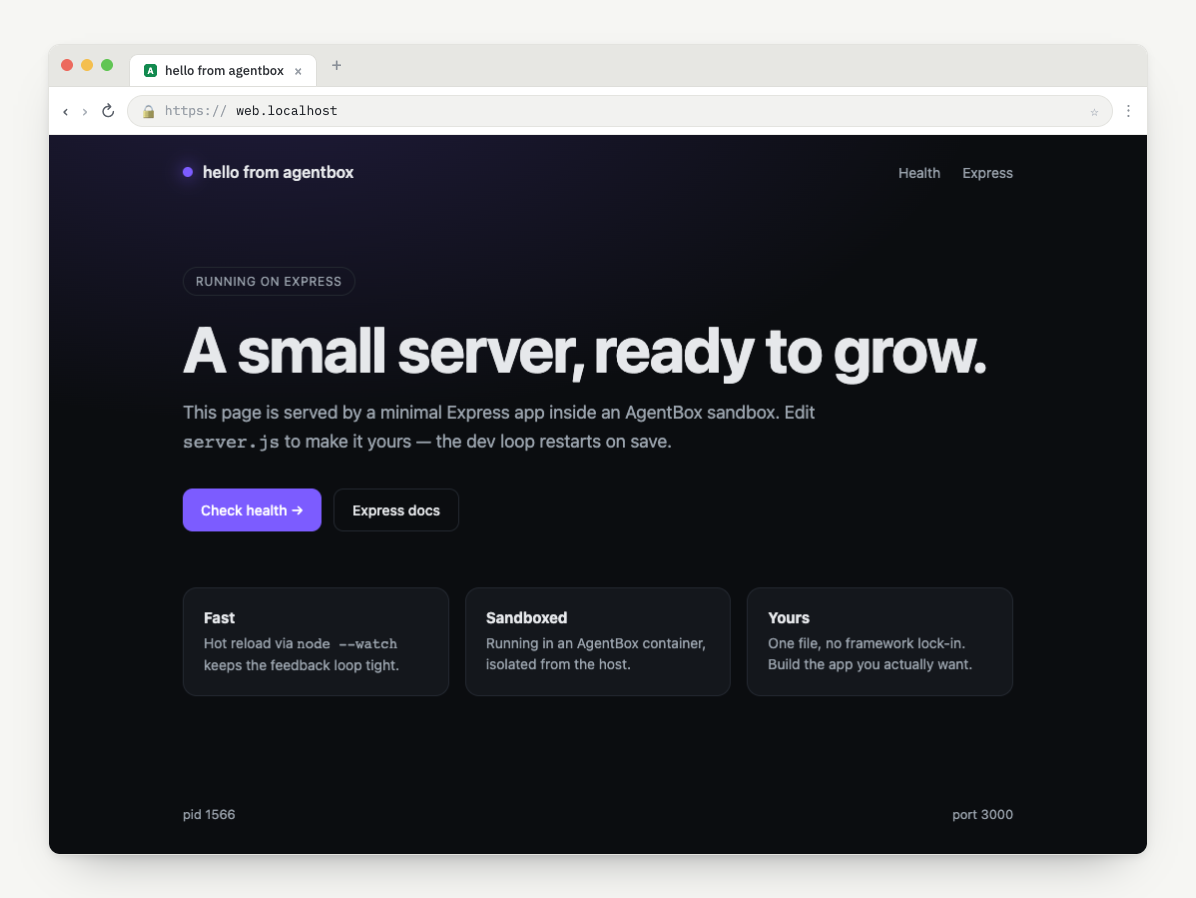
A box can run a web app and reach it from your host browser at the same URL the box itself sees. You declare the service in agentbox.yaml with expose:; the in-box supervisor forwards it to the box's reserved port 80, and agentbox url opens it. With Portless (Docker) or cloud preview URLs, the same https://<box>.localhost (or public HTTPS) URL works from inside the box and from your host — so OAuth callbacks, CORS, and Next.js dev origins line up on both sides.
Expose a web service
Mark exactly one service in agentbox.yaml with an expose: block to make it the web service for the box. expose.port is the port the service listens on inside the box; expose.as is the container port the supervisor forwards to, which must be 80 (the only port AgentBox reserves).
services:
  web:
    command: 'npm run dev'
    needs: [install]
    env:
      PORT: '3000'
    expose:
      port: 3000
      as: 80
    restart: on-failure
Every box reserves container :80 at create time, so you can add expose: to an existing box — no recreate, just agentbox-ctl reload inside the box (the setup wizard does this for you). Until a service declares expose:, agentbox list and agentbox status show the web endpoint as web reserved (...).
See agentbox.yaml for the full expose schema and Services & tasks for the service model.
Readiness
Gate the URL behind a readiness probe so it isn't considered live until the service is actually up. Add a ready_when: probe (TCP port, log regex, or HTTP check) to the service — see agentbox.yaml for the full probe spec.
To gate a script on the whole box, agentbox wait blocks until all autostart tasks and services are ready.
agentbox wait my-boxTIP
Use on_timeout: mark_unhealthy for slow cold starts (heavy frameworks, first-run compilation) so
the supervisor doesn't kill-and-restart a process that's simply still booting.
Same URL inside & out
The box and the host see the same URL for the web app, so OAuth redirects, CORS allowlists, and Next.js allowedDevOrigins line up. How that URL is produced depends on your Docker runtime: OrbStack gives every container auto-DNS (http://agentbox-<name>.orb.local), while Docker Desktop has no per-container DNS, so AgentBox offers Portless on first run — a proxy that yields https://<box-name>.localhost. The clean HTTPS URL runs the proxy on port 443, which needs root, so Portless asks for your host password once (a native dialog on macOS); dismiss it and AgentBox falls back to a no-root proxy at http://<box-name>.localhost:1355.
The in-box browser (agentbox screen) loads the same <box-name>.localhost URL the host uses, so the app is one origin from both sides.
Keep it working after a reboot
The Portless proxy is a process, but the routes it serves are stored on disk — so after a restart the URLs still exist while nothing is listening on them. AgentBox restarts the proxy whenever it is about to hand out one of these URLs (creating a box, starting an agent, agentbox hub).
It restarts the proxy in the mode your host already uses, and never switches modes on its own. That matters because the scheme and port are part of the URL, and the URL is shared: a cloud box mirrors the host proxy's mode inside the box, and templates written against {{AGENTBOX_BOX_HOST}} spell https://<box-name>.localhost by hand. Coming back on a different port would leave the host serving one URL while the box still expects another — the exact symmetry this feature exists to provide. So a host on the clean HTTPS proxy (port 443, which needs root) is never silently downgraded to the no-root port; AgentBox points you at the permanent fix instead:
agentbox install portless              # asks for your password once
agentbox install portless --uninstall  # remove the startup service again
That installs Portless's own startup service, so the HTTPS proxy is up from the moment you log in — before you run any AgentBox command, and with no password prompt after the first. agentbox doctor tells you which state you're in: proxy down, or running with no startup service behind it (fine until the next reboot).
agentbox url my-box
agentbox url my-box --print
agentbox url opens the web app; --print prints the URL instead of launching the browser. See CLI commands for all flags.
WHY
Same origin on both sides means OAuth callbacks and CORS just work. Point your provider's redirect URI at https://<box-name>.localhost and it resolves correctly whether the request comes from your host browser or the in-box browser.
See Local Docker / Configuration for Portless setup and the portless.* config keys. agentbox doctor flags a missing or stopped host Portless proxy — and a running proxy with no startup service behind it — on plain Docker Desktop / Linux engine (it's skipped on OrbStack) and on Hetzner, so you get the symmetric .localhost URL instead of a raw loopback fallback.
Cloud preview URLs
On cloud providers the web app gets a public HTTPS preview URL instead of a .localhost route. agentbox url and agentbox screen route on box.provider automatically, and --loopback is ignored for cloud boxes.
- Daytona: a signed preview URL with the token embedded; default TTL 3600s, override with
--ttl <seconds>. - Vercel: a public token-free
sandbox.domain(port)URL, reachable from host and box. - E2B: a public token-free
<port>-<sandbox-id>.e2b.appURL, reachable from host and box. - Hetzner: an SSH local port-forward over the per-box ControlMaster, decorated with a Portless
<box-name>.localhostalias for the same symmetric URL as Docker. - DigitalOcean: same as Hetzner — an SSH local port-forward over the per-box ControlMaster, mirrored to a Portless
<box-name>.localhostalias. There is no public URL; the box is reached only through the host tunnel.
agentbox url my-cloud-box
agentbox url my-cloud-box --ttl 86400
TIP
agentbox url and agentbox screen route on the box's provider automatically — the same command
opens an .orb.local route, a Portless .localhost URL, a Daytona signed proxy URL, or a Vercel
public domain depending on where the box lives.
When a service refuses to be proxied
A daemon can treat forwarded headers as a security signal and refuse to serve
behind a proxy at all. OpenClaw does: it answers any request
carrying an X-Forwarded-* header with 403 proxy_attribution_required.
An agent declares that on its registry row, and AgentBox then skips the Portless web alias for boxes built for it — so the box's URL is the directly published port, with nothing in front of it. The VNC alias is unaffected. There is no config key for this: it is a fact about the daemon, not a preference.
The trade is that such a box has no stable name. Its URL carries a host port
that changes on every restart, and it is not the URL the box sees for itself, so
read it with agentbox url rather than bookmarking it.
Extra ports
expose: covers one web service on container :80. Reaching any additional port depends on the provider:
| Provider | Extra ports |
|---|---|
| Docker | Only :80 (web) and :6080 (noVNC) are host-published; shell in to hit other ports |
| Hetzner | On-demand SSH forwards reach any in-box port |
| DigitalOcean | On-demand SSH forwards reach any in-box port (same as Hetzner) |
| Vercel | Up to 4 exposed ports (3 already spent on 8080/6080/8788) |
| E2B | Public <port>-<sandbox-id>.e2b.app URL for each exposed port |
| Daytona | Per-service preview URLs for each expose.port |
# Reach the box from a shell and hit an internal port directly
agentbox shell my-box -- curl -s http://127.0.0.1:9000/health
HEADS UP
Docker boxes only publish the web port (:80) and noVNC (:6080) to the host. Put the service
you want exposed on the expose: as: 80 web slot, or use a cloud provider when you genuinely need
multiple host-reachable ports.
See Access your box for getting a shell, and the Hetzner, Vercel, and Daytona pages for each provider's port model.